
Connect Four strategy: recognise playable threats
A visible line of three is not necessarily a move-away win. Gravity determines whether its fourth square is available now or needs support first. Read this 7×6 edition through immediate replies, landing squares and separate winning destinations rather than memorising a guaranteed opening.
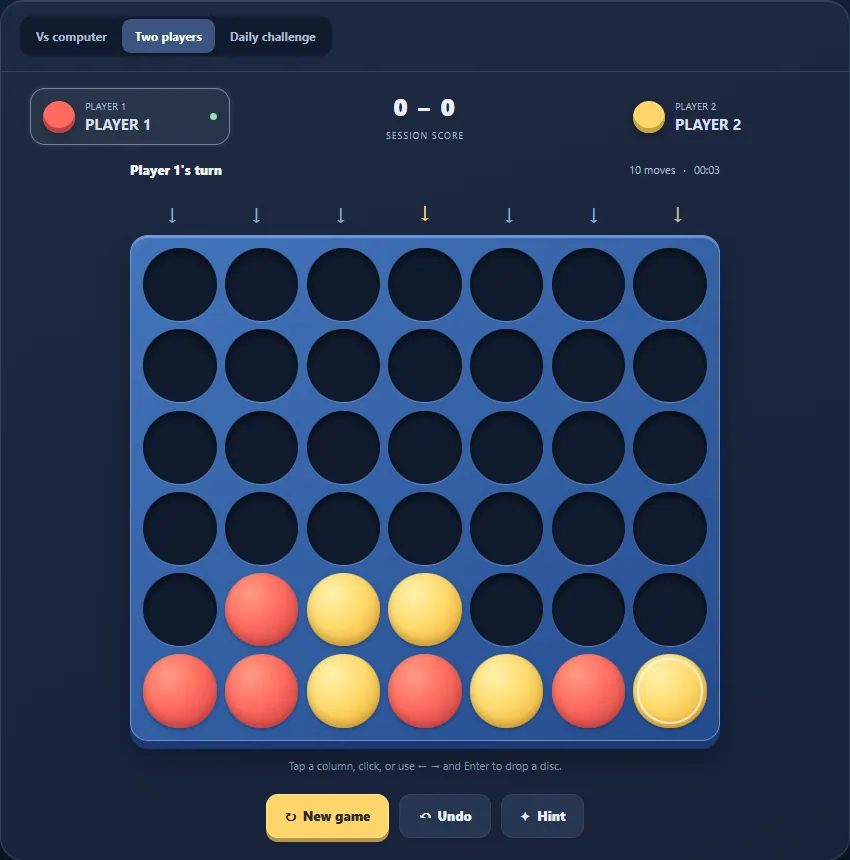
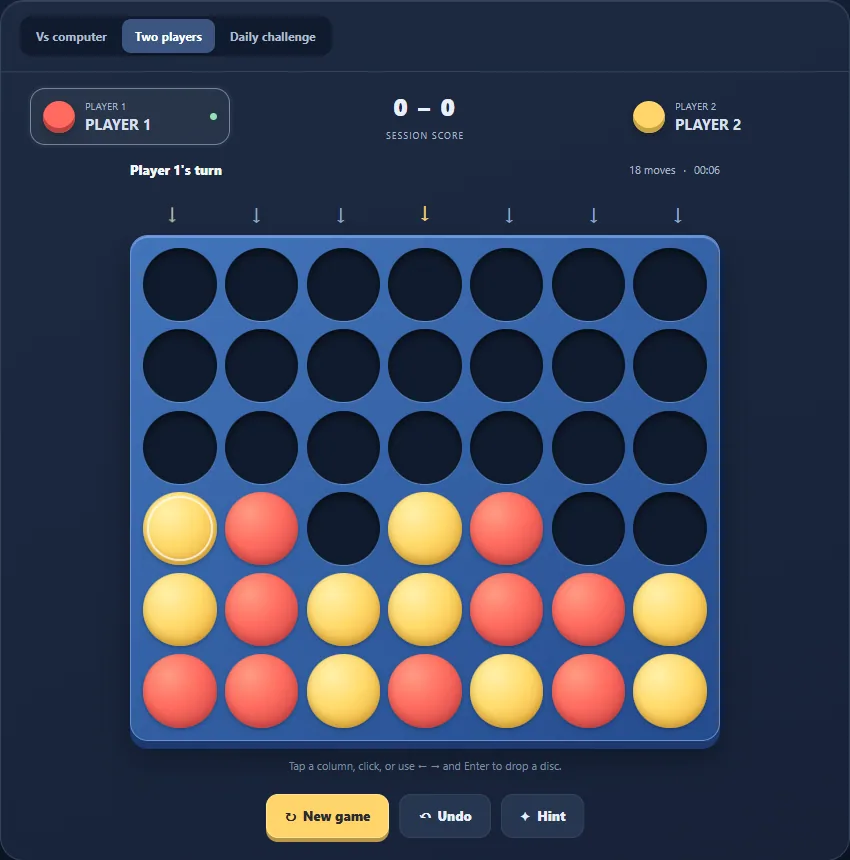
Check the next move before planning further
For each non-full column, identify where your next disc would land. Take an available four-in-a-row win before starting a longer plan. Then repeat the inspection for the opponent: a reachable winning square needs a response even when your own position looks promising.
This edition’s computer first checks its own immediate win, then an immediate player win to block, including on Easy. Lower difficulty does not mean it will overlook a one-move threat. The exercise remains useful without treating the computer as a perfect solver.
Separate a floating line from a live threat
Suppose a diagonal’s missing fourth square is two cells above the next landing in its column. You cannot take that square yet. The lower cells must be filled before the line becomes an immediate threat, so evaluate the landing rather than the diagonal alone.
Before supplying a supporting disc, inspect the square it makes available above it. That support may prepare your own diagonal or give the opponent a winning landing on the next turn. Counting three-disc lines without checking access misses this difference.
Build two available winning destinations
A simple example sits on the bottom row: your discs occupy columns 3, 4 and 5, and the bottom cells of columns 2 and 6 remain empty. Both ends are playable and would complete four. Provided the opponent has no immediate win, one blocking disc cannot fill both ends.
Two drawn lines are not a double threat if they share the same winning destination or one endpoint is still floating. Inspect the opponent’s reply as well: creating two future options is irrelevant if that reply already wins the game.
Use a repeatable practice check
Central columns can contribute to several horizontal and diagonal lines, but centre occupation does not outrank an urgent block. Compare candidate placements by the threat created, the landing offered to the opponent and your options after the reply.
Local two-player mode lets you examine both sides. In a computer match, Undo can remove the player move and computer reply; in local mode it revisits the last placement. Daily starts from four date-seeded opening moves using UTC rather than always presenting an empty board. No perfect-win claim, solve-time target or success percentage is established by this guide.
Keep playing
Every game page lists its current version and controls and offers a fullscreen play view.
Explore the collection: Board Games